Introduction
Most explanations of automation start and end at the trigger. Something happens, the system reacts, the job is done.
That picture is accurate but incomplete. And for teams building SaaS products, internal tools, AI-assisted workflows, or multi-step business processes, it leaves out the half of automation that actually causes the most engineering headaches.
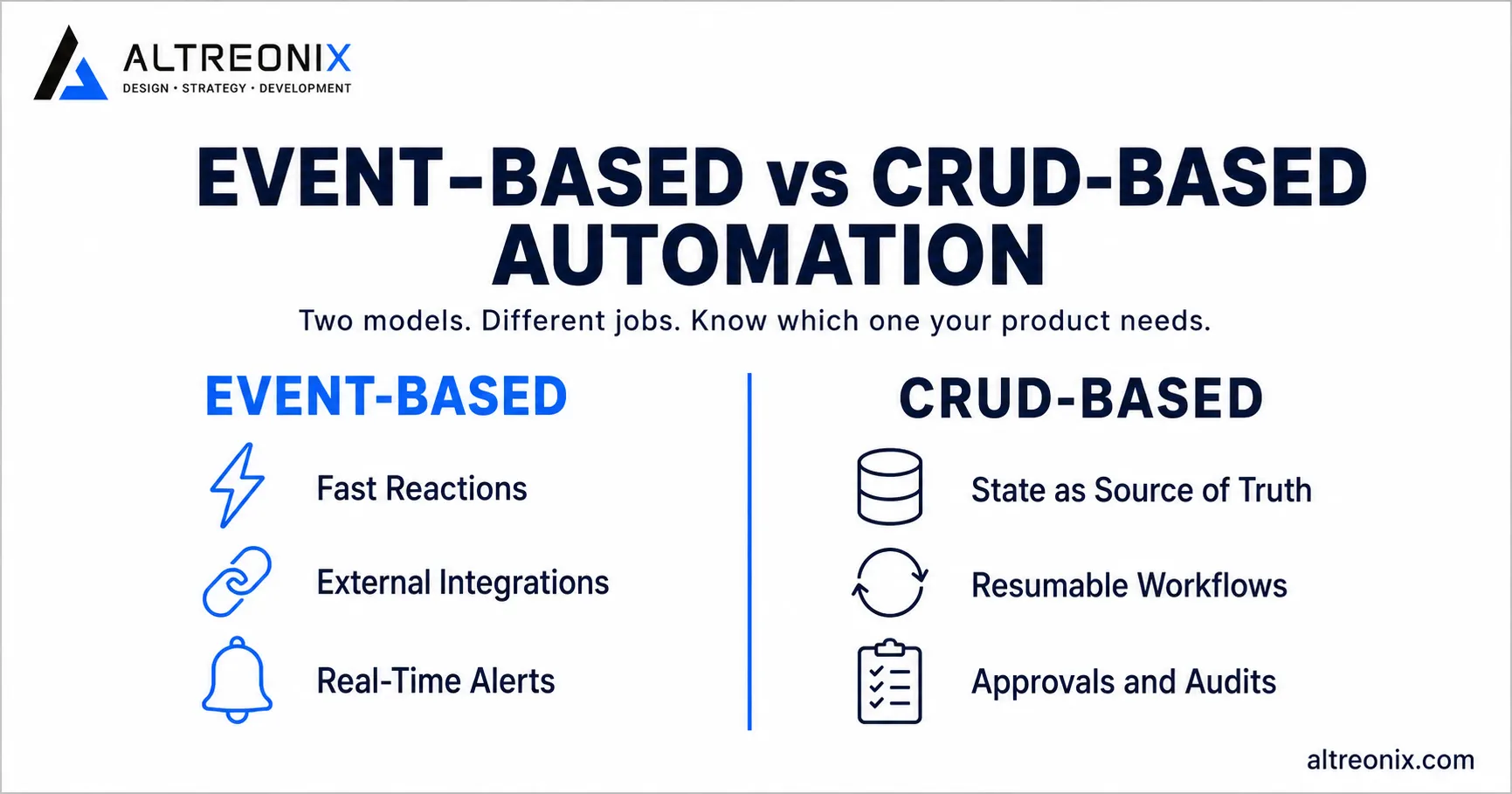
At Altreonix, we work with two models of automation. The first is event-based automation, which most engineers already know well. The second is CRUD-based automation, which is underused and underexplained.
This post breaks down how both work, when each one fits, and how to choose between them before you start building.
What Automation Actually Means
Before comparing the two models, it helps to be clear about what automation is.
Automation is any system that performs an action with minimal human involvement after a defined condition is met.
That condition can be an event. It can also be a stored state. It can be time-based, approval-based, or a combination.
A simple automation always has three parts:
A trigger or condition
A decision
An action
For example:
A new lead is created in your CRM.
The system checks whether the lead matches your target customer profile.
The system routes the lead to the right sales pipeline and sends a Slack notification.
That is automation. The bigger question is not whether automation exists in your product. The bigger question is how your system should track and run it.
Event-Based Automation: React to What Happens
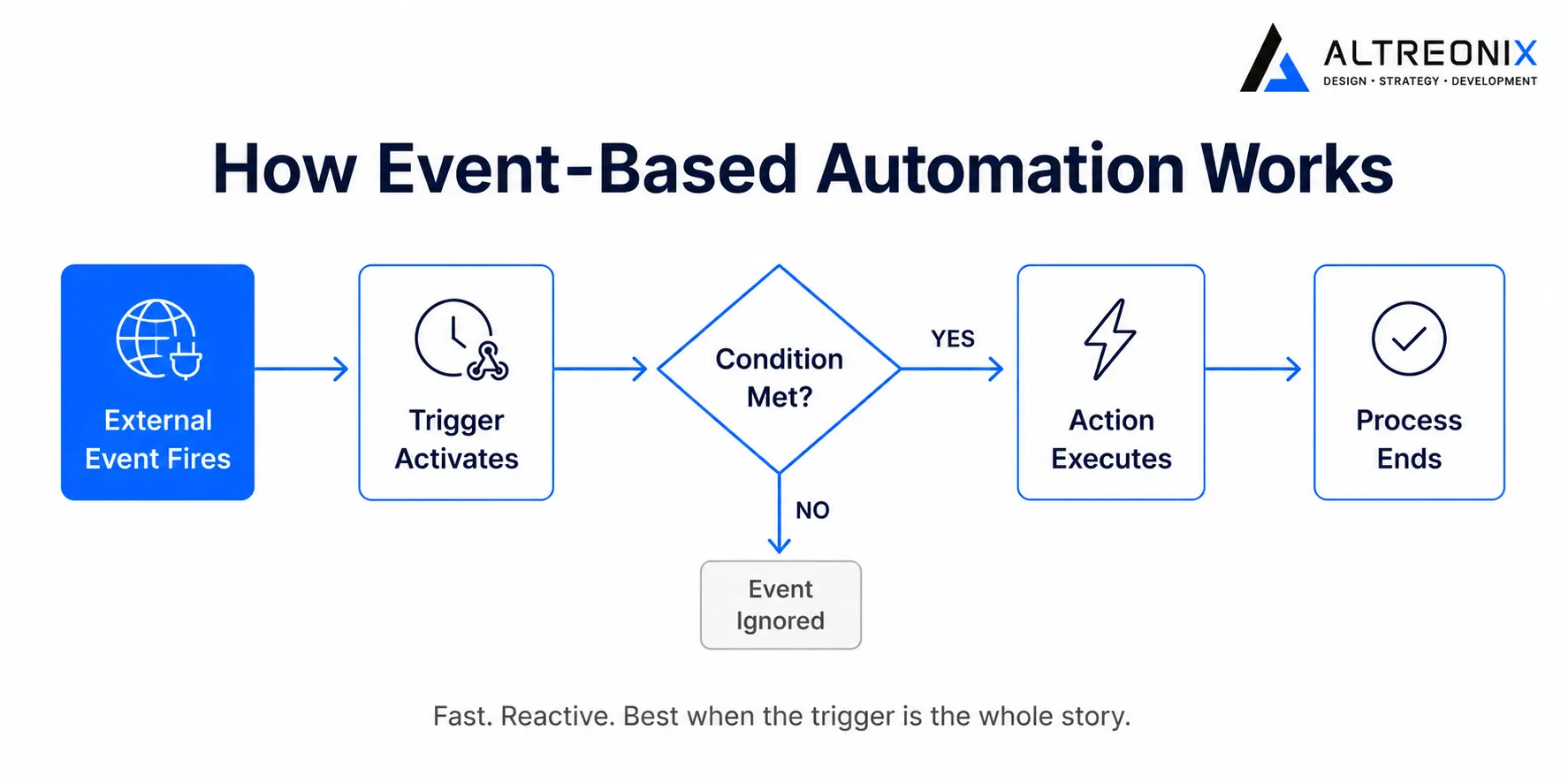
Event-based automation is the standard pattern in modern software. An event happens. The system reacts.
Common examples:
A user submits a form.
A payment succeeds.
A file is uploaded.
A webhook arrives from an external service.
A scheduled job fires at midnight.
Each event is the starting point. Once the event fires, one or more steps run in response. This is the structure behind most integration tools, workflow builders, and event-driven applications.
Where Event-Based Automation Works Best
Event-based automation is the right choice when your core requirement is reaction speed and external connectivity.
It handles these situations well:
Webhooks and API integrations from third-party tools
Order processing where each step is predictable and fast
Notifications sent after a user action
Log ingestion and real-time alerting
Message queues where services communicate asynchronously
Event streams such as analytics pipelines or usage tracking
If your system is mostly about responding to things happening outside it, event-based design is the right starting point.
Where Event-Based Automation Breaks Down
The gap in event-based automation appears when the workflow is no longer a quick, clean reaction.
Once your process needs any of the following, it becomes stateful:
Retries after a failure
Human approval before moving forward
A pause for minutes, hours, or days
Input from a person at a specific step
Multi-step branching based on previous outcomes
Checkpoints to resume from if the system restarts
Partial completion tracking
At that point, the workflow is no longer just a reaction to a single event. It is an ongoing process that needs to remember where it stopped and what should happen next.
That is where many systems become difficult to maintain. State ends up scattered across queues, in-memory workers, logs, and environment variables. Debugging becomes slow. Recovery after a crash becomes fragile. Visibility into the current state of a workflow requires reading multiple sources at once.
CRUD-Based Automation: Start With State
CRUD stands for Create, Read, Update, and Delete. These are the four basic operations used to manage records in a database.
In a CRUD-based automation model, the stored state is the center of the system, not the event that started the process.
Instead of asking, "What just happened?" the system asks, "What does the database say needs to happen next?"
The automation is built around structured records, such as:
Jobs and tasks
Step statuses
Approval states
Retry counters
Execution logs
Scheduled actions
User decisions
Each time the system runs, it reads the database, evaluates the current state, performs the next valid action, and writes the result back. Then it exits. The next run picks up exactly where it left off.
Nothing needs to stay alive in memory. Nothing needs to simulate continuity. The database already knows what happened.
How CRUD-Based Automation Works in Practice
Here is what a basic CRUD-driven workflow looks like:
A job record is created in the database.
The initial status is set.
A worker reads the job record.
The worker determines the next step based on the current status.
The worker performs the action.
The worker writes the updated status and any output back to the database.
The worker exits.
If the system stops midway, there is no special recovery logic needed. The next run reads the record, sees that the step is not complete, and continues.
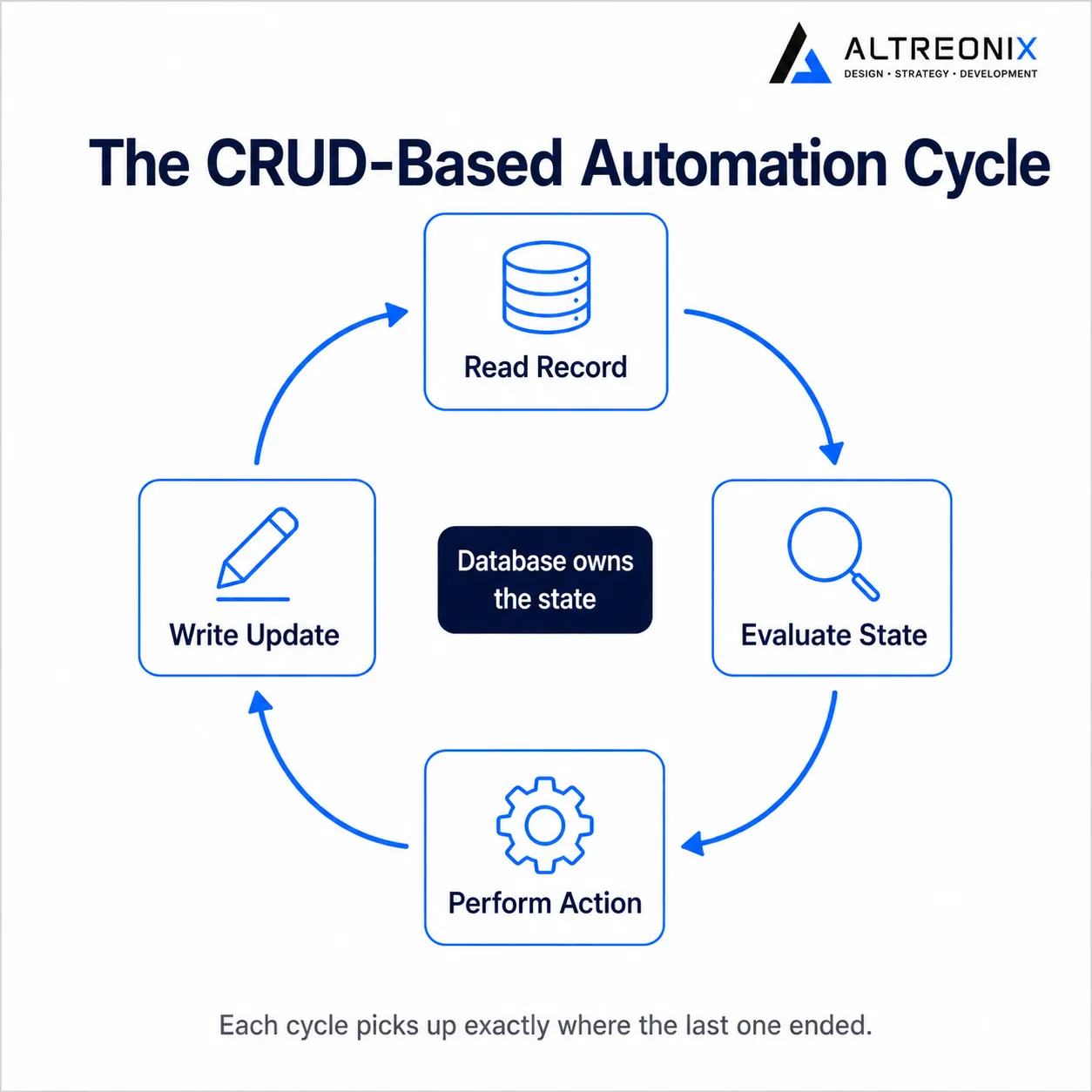
Instead of asking, "What was the worker doing when it crashed?" you ask, "What does the database say is still incomplete?" That is a much easier question to answer.
Event-Based vs CRUD-Based: A Direct Comparison
Here is how the two models differ across the dimensions that matter most for engineering teams.
Factor | Event-Based | CRUD-Based |
|---|---|---|
Starting point | An event fires | A state is read |
State location | In memory, queues, or logs | In the database |
Long-running workflows | Difficult | Straightforward |
Debugging | Requires tracing events | Inspect the record |
Recovery after failure | Needs replay logic | Re-read the record |
Human approvals | Complex to handle | A status field |
Visibility | Often fragmented | Directly query-able |
Latency | Very low | Slightly higher |
Real-time streams | Excellent | Not ideal |
Neither model is strictly better. They solve different problems.
Why CRUD-Based Automation Fits Most Business Products
Most SaaS products, internal tools, and business process systems are not streaming real-time data. They are managing processes over time. That is a fundamentally different problem.
Consider these common examples:
AI-assisted task processing: A job is created, sent to a model, reviewed by a human, approved or rejected, then completed. Each step is a state transition. Each step needs to be retried or flagged if it fails.
Lead qualification workflows: A lead enters the system, passes through scoring, gets routed to a rep, waits for outreach, and eventually converts or is marked inactive. The lead's current stage is always in the database.
Document review pipelines: A document is submitted, reviewed by a first reviewer, escalated if flagged, approved or rejected, and archived. The current state of the document is queryable at any point.
Internal approval flows: A purchase request is created, routed to a manager, approved or sent back for revision, finalized, and logged. Each step is a record update.
All of these look like automation problems. But the technical reality is that they are state management problems. The core challenge is not reacting to events. It is tracking progress, handling pauses, logging outcomes, and recovering cleanly when something goes wrong.
CRUD-based automation handles all of that by design. The state is explicit, visible, and queryable from the first day of production.
The Real Advantage of CRUD-Based Automation
The main argument for CRUD-based automation is not that it is simple, though it often is simpler.
The main argument is control.
When the database owns the state of a workflow, you gain:
Visibility: You can query the current state of any job at any time.
Debuggability: If something went wrong, the record shows exactly when and where.
Resumability: Restarting a worker does not break anything. The next run picks up from the stored state.
Auditability: Every transition can be logged as a row, giving you a full history.
Human intervention: Approvals, holds, and overrides are just status updates.
Horizontal scaling: Multiple workers can pick up different jobs without shared in-memory state.
Fewer hidden side effects: State is in one place, not split between memory, queues, and logs.
This matters most in serverless environments and distributed systems, where long-lived in-memory processes are expensive or unreliable. A CRUD-driven workflow turns execution into records and transitions, which are much easier to inspect and maintain than a process that partially lives in a queue and partially in a worker's memory.
The Real Limitations of CRUD-Based Automation
CRUD-based automation is not the right answer for every problem.
It is not well-suited for:
Ultra-low latency reactions, such as fraud detection on a payment
High-frequency event streams, such as clickstream processing
Real-time collaboration features, such as live document editing
Continuous socket-style communication between services
Complex distributed event choreography across many independent systems
Systems where the event itself is the product, such as a message bus or telemetry pipeline
In those situations, event-driven architecture is the better fit.
This is not a case of one replacing the other. They serve different needs, and many systems use both. A payment system might use event-based automation to react instantly to a webhook, and then hand off the job to a CRUD-based workflow for post-payment processing, dispute handling, and reconciliation.
How to Choose Between the Two Models
Before picking an architecture, ask these questions about your workflow.
Does it finish in seconds, or does it take minutes, hours, or days?
Quick processes are a good fit for event-based automation. Processes that run over time benefit from CRUD-based state management.
Does it ever pause and wait for a person?
If yes, the state needs to be stored somewhere durable. The database is the right place.
Does it ever fail and need to retry?
Retry logic is much simpler when the current status is a column in a table rather than a flag in a queue message.
Does it need to be visible in a dashboard?
If operators, customers, or support teams need to see the current status of a workflow, CRUD-based automation gives you that for free.
Does it need an audit trail?
If you need a history of what happened at each step, database rows are easier to query and export than event logs.
Does it involve multiple people or approvals?
Each person's decision is a state change. CRUD-based automation handles this natively.
If you answer yes to most of these, CRUD-based automation is probably the better foundation.
What This Means for Product Teams
If you are building a product that includes any kind of automation, do not start by designing the trigger.
Start by designing the state.
Ask:
What records need to exist for this workflow to function?
What are the valid states for each record?
What transitions are allowed between states?
What happens when a step fails?
What needs to be visible to an operator or end user?
What needs to be query-able for reporting?
What steps require a human decision before continuing?
Answer those questions first, and the architecture becomes much clearer.
In many cases, you do not need a workflow engine at all. You need a clean state model, a few well-designed database tables, and a disciplined approach to state transitions.
That is the pattern Altreonix recommends for most business automation problems.
Our Recommendation
Use event-based automation when your system is reacting to the world.
Use CRUD-based automation when your system is managing a process.
If the job is to listen and respond instantly, event-driven design is the right tool. If the job is to track progress, handle approvals, recover from failures, and preserve state across time, CRUD-based automation is the better foundation.
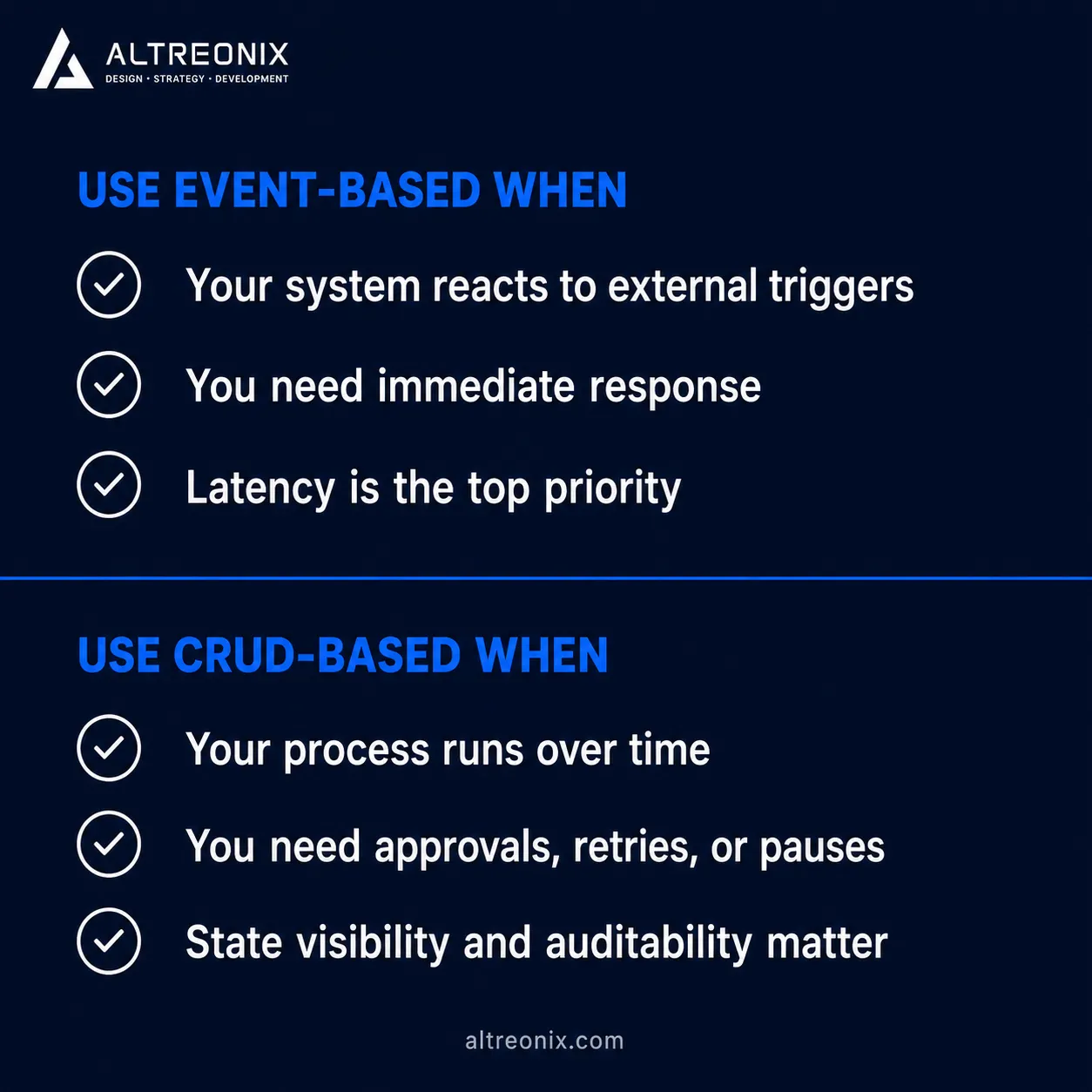
For most SaaS products, internal tools, AI-assisted workflows, and business process systems, CRUD-based automation is the pattern teams should reach for first.
Not because it is the newest idea. Because it is the most practical one for the problems most product teams actually face.
Summary
Automation is any system that performs an action with minimal human involvement after a defined condition is met.
Event-based automation reacts to triggers. It is fast, reactive, and well-suited for external integrations and real-time pipelines.
CRUD-based automation starts with state stored in a database. It is well-suited for long-running processes, approvals, retries, and workflows that need to pause and resume.
The choice between the two comes down to what your workflow actually requires: reaction speed, or process management over time.
Many production systems use both. Event-based handling starts a process; CRUD-based state management tracks it through to completion.