Introduction
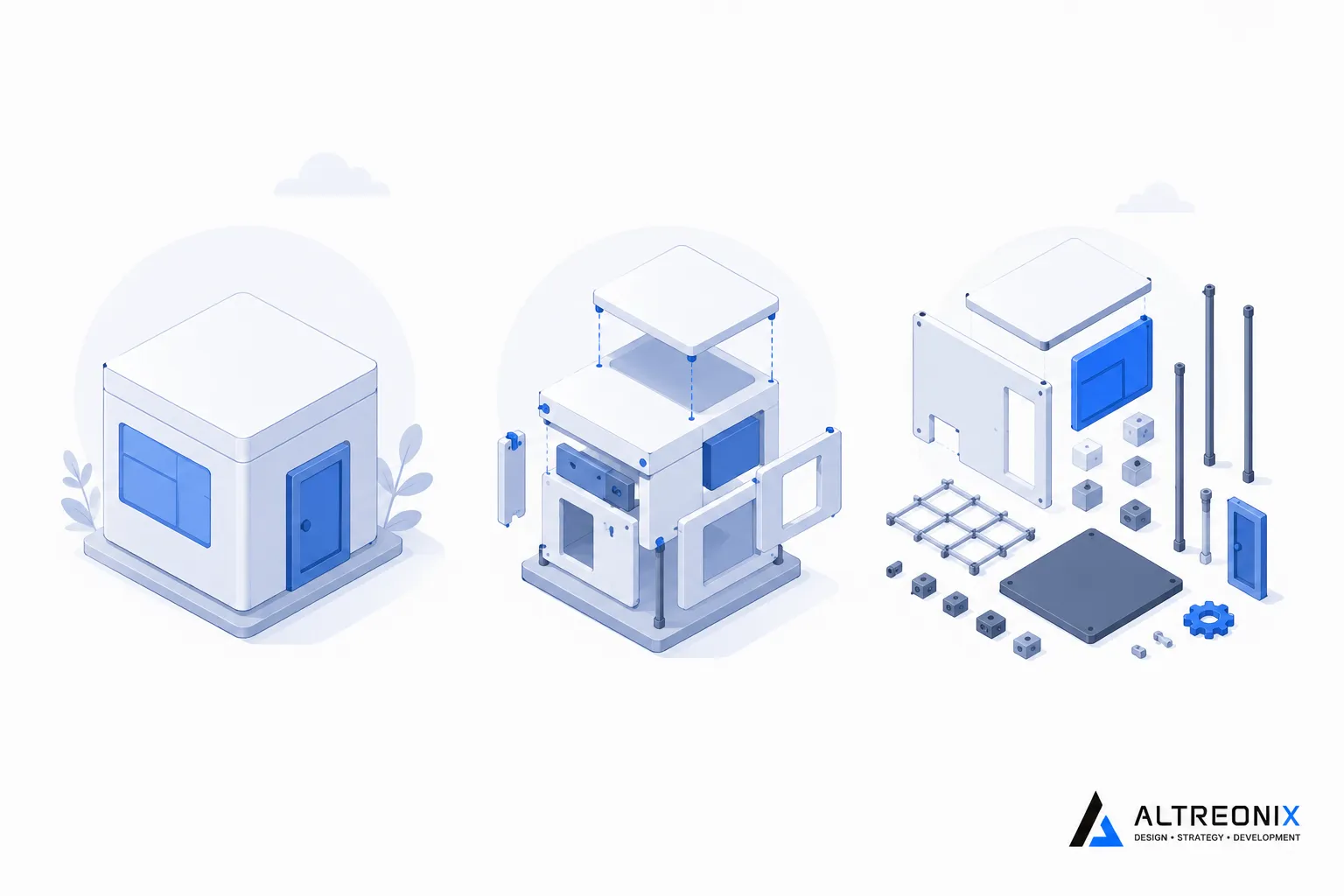
These three terms get used almost interchangeably in casual conversation, and that’s a real problem, because they describe genuinely different technical models with different trade-offs. Picking the wrong one for your situation because the terminology was fuzzy is an expensive mistake to unwind later. This post exists to make the actual differences clear, not just define the buzzwords.
No-Code: Visual Building With Zero Code Exposed
No-code platforms let you build an application entirely through a visual interface, dragging elements onto a page, defining workflows by connecting steps visually, without ever writing or seeing a line of code. Bubble, Airtable, Glide, Softr, and Webflow all fall into this category. The audience is explicitly non-technical, someone with no programming background can build a working app, and that’s the entire point of the category.
The trade-off is that you’re working entirely within whatever the platform’s visual builder allows. If a feature isn’t supported by the interface, you generally can’t add it yourself, you’re waiting on the platform vendor to build it, or working around its absence with a third-party integration.
Low-Code: Visual Building With Room to Write Real Code
Low-code platforms, like OutSystems, Mendix, and Microsoft Power Apps, also center on a visual builder, but they expose actual code extension points alongside it. A professional developer can drop into a scripting layer to handle something the visual tools can’t, while a less technical team member builds the majority of the app visually. Gartner defines low-code platforms as those providing “visual, declarative development techniques with minimal hand-coding,” built to serve both professional developers and business users on the same tool.
That combination is deliberate. Gartner’s own research describes the emerging norm as fusion teams, cross-functional groups blending IT and business users on the same build, which is a meaningfully different audience than no-code’s assumption of zero technical involvement.
This hybrid audience is exactly why low-code has become the default for larger organizations moving fast. Separate industry data shows enterprise adoption climbing quickly, with Gartner projecting that by 2026, roughly 80% of low-code platform users will come from outside traditional IT departments, business analysts, operations staff, and other non-developers working alongside the smaller technical layer a low-code platform still requires. The category exists specifically to let both groups build on the same tool without either one hitting a wall the other doesn’t.
Custom Software: Written Code, No Platform Ceiling
Custom software means an application built entirely in code, on infrastructure your business controls, without a visual builder standing between your requirements and the final product. There’s no vendor-imposed ceiling on what you can build, no record limit, no API rate cap, no workflow engine you’re constrained by, because you’re not building inside anyone else’s platform. The cost of that freedom is real: higher upfront investment, longer initial timelines, and the need for actual development expertise, whether in-house or contracted.
Why the Terms Blur in Marketing More Than in Reality
Here’s something worth knowing directly from the analyst firm that tracks this market closest. Gartner’s own research puts it bluntly: “Fundamentally there is really no such thing as ‘no-code.’ There is always code and software running somewhere, just hidden.” Every no-code platform is, underneath its visual interface, running actual code, the platform vendor wrote it, and you simply never see it.
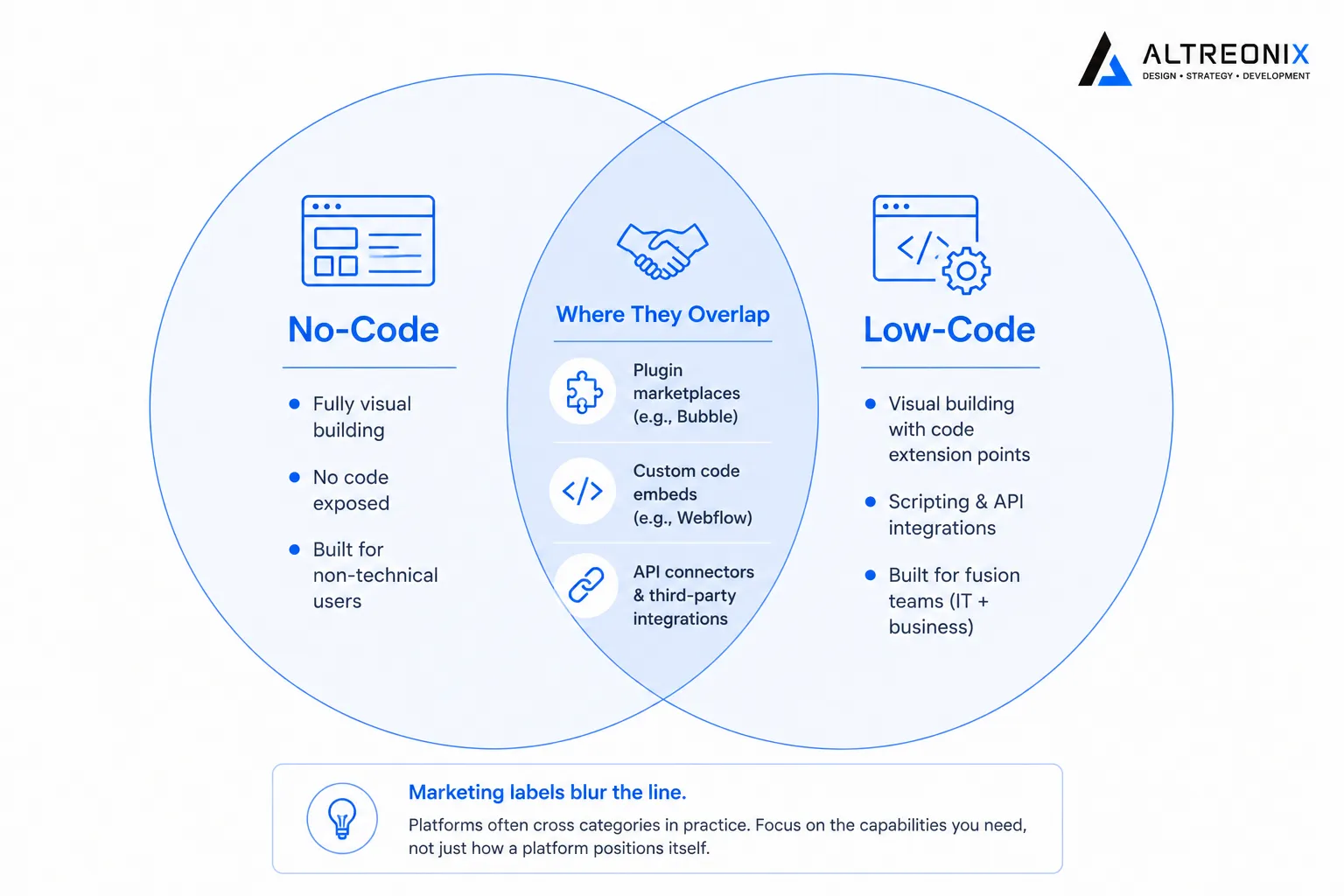 This matters practically because vendors market across these categories more freely than the categories themselves would suggest. Bubble, technically a no-code platform, offers a plugin marketplace and API connectors that function similarly to a low-code extension point, blurring the line from the no-code side. Webflow allows custom code embeds on individual pages, another point of overlap. The boundary between “no-code” and “low-code” in practice is often more about how a platform positions itself to its target audience than a hard technical line, which is exactly why relying on the label alone, rather than the actual capability you need, is a common way to pick the wrong tool.
The Real Differences That Matter
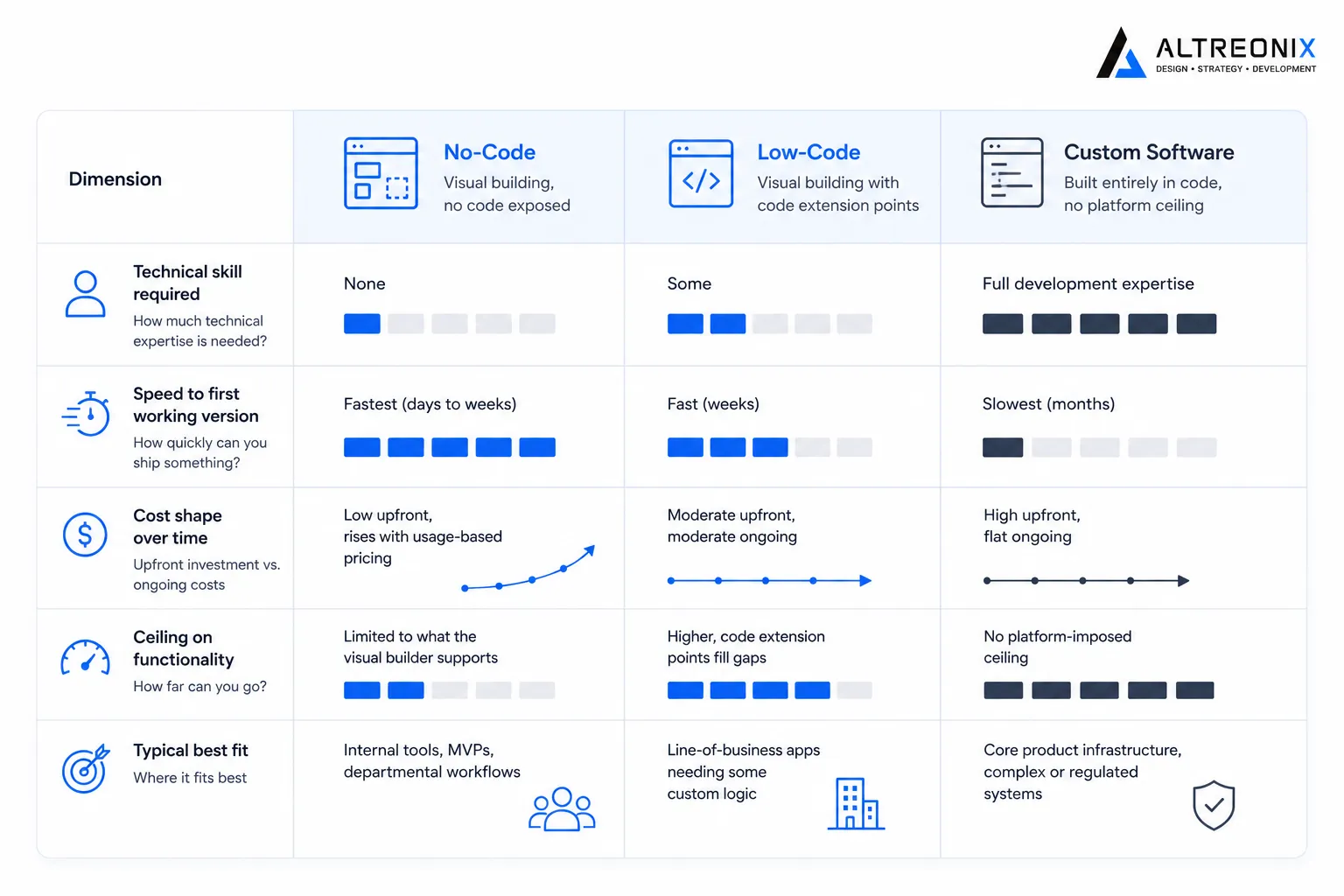
Rather than relying on labels, here’s a comparison across the dimensions that actually affect a business decision.
| Dimension | No-code | Low-code | Custom software |
|---|---|---|---|
| Technical skill required | None | Some, benefits from a developer on the team | Full development expertise |
| Speed to first working version | Fastest, days to weeks | Fast, weeks | Slowest, months |
| Cost shape over time | Low upfront, rises with usage-based pricing | Moderate upfront, moderate ongoing | High upfront, flat ongoing |
| Ceiling on functionality | Limited to what the visual builder supports | Higher, code extension points fill gaps | No platform-imposed ceiling |
| Typical best fit | Internal tools, MVPs, departmental workflows | Line-of-business apps needing some custom logic | Core product infrastructure, complex or regulated systems |
Adoption trends reinforce how mainstream the middle category has become. Gartner data cited in industry research puts low-code application platform revenue at close to ten billion dollars in 2023, with roughly a quarter of that growth coming year over year, and a separate KPMG study found the large majority of companies now treat low-code as a core part of their technology strategy rather than an experimental side project.
 ## Which One Actually Fits Your Business
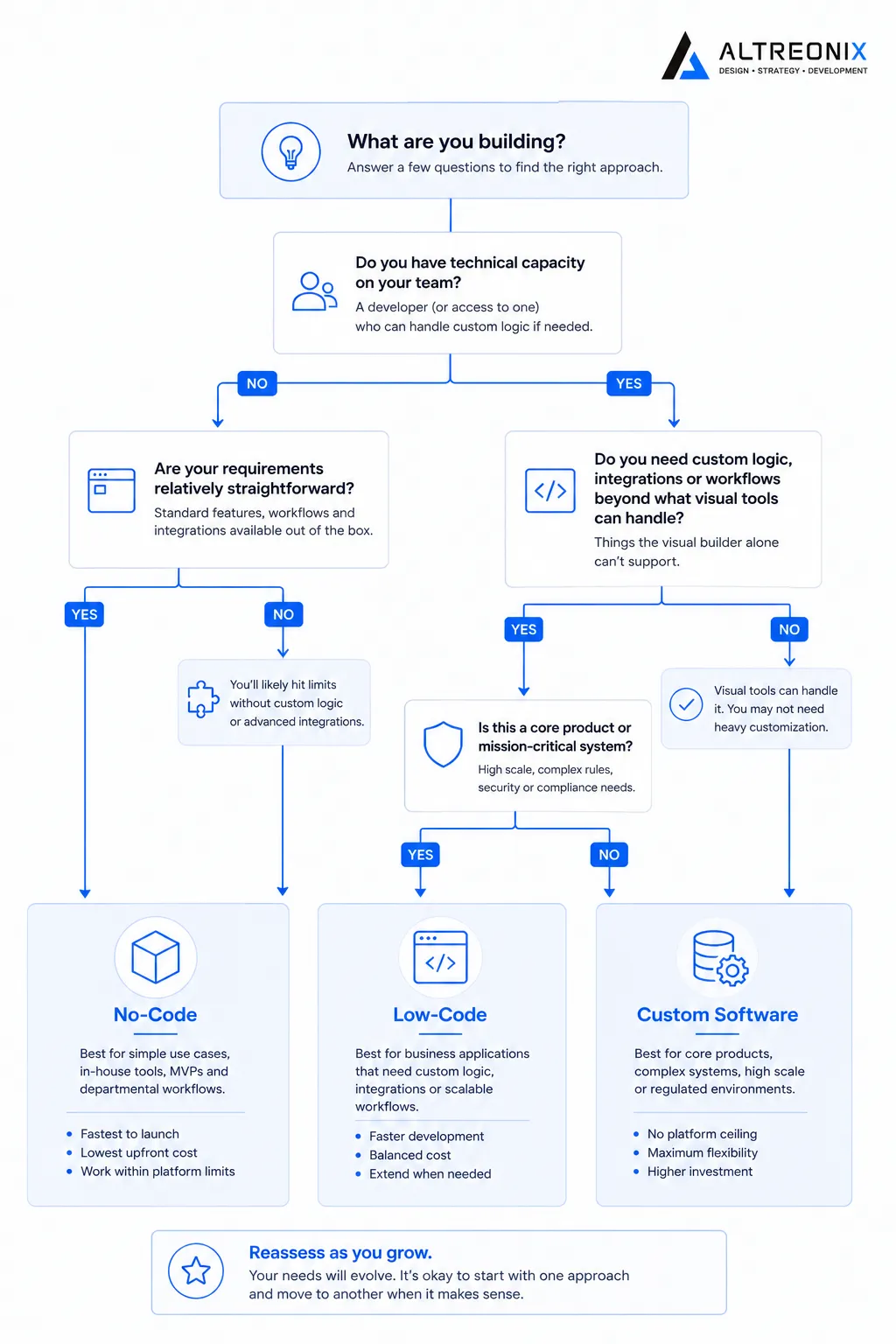
The honest answer depends less on company size and more on two specific questions: how much of what you’re building falls outside a visual builder’s native capabilities, and how much technical capacity your team already has in-house.
If you have zero technical staff and need something working fast for an internal process or an early product test, no-code is the right starting point, not a compromise. If you have some technical capacity and your requirements include a few genuinely custom pieces of logic alongside a lot of standard functionality, low-code often hits the right balance of speed and flexibility. If your product is core to your business, needs to scale predictably, or has compliance requirements a visual platform can’t meet, custom software is worth the higher upfront investment from the start, rather than something you migrate to later after outgrowing a visual tool.
 For a deeper look at exactly when that migration decision becomes worth making, and what it actually costs, we’ve broken it down in full in our real cost comparison between no-code and custom software.
How We Think About This at Altreonix
We work across all three of these categories, because the right answer genuinely depends on what you’re building, not a fixed preference for one approach. Our Web Applications and Business Systems work often starts with exactly this conversation, matching the actual requirement to the right category before committing budget to any of them.
If you’re not sure which category fits what you’re trying to build, that’s a reasonable place to start a conversation with us.