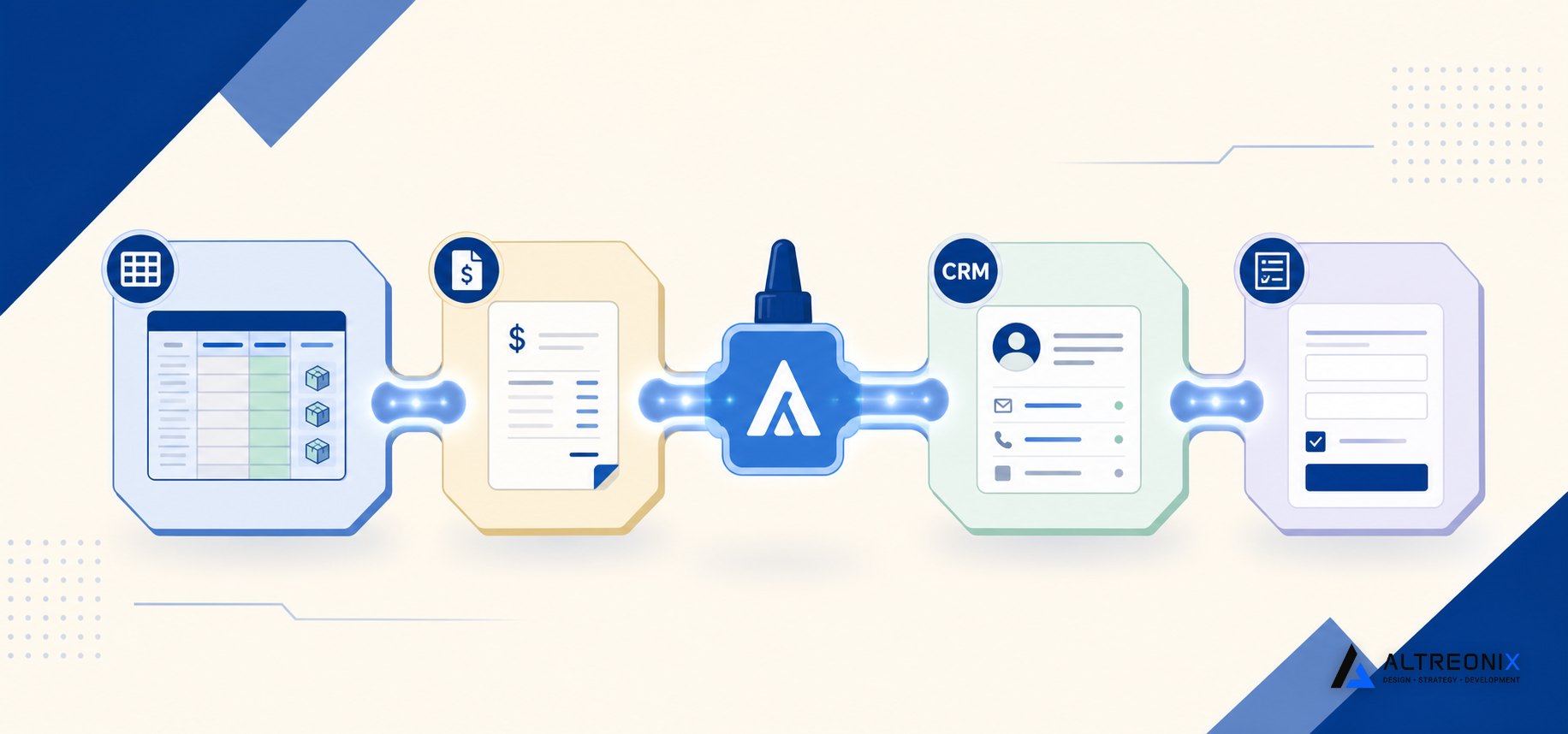
Most automation content assumes you’re ready to replace everything, pick a new platform, migrate your data, retrain your team. For a 10 to 50-person business already running inventory, approvals, and onboarding on a patchwork of tools, that’s rarely the realistic first move. The better starting question isn’t “which platform should we switch to.” It’s “what’s the fastest way to stop re-typing the same information into three different systems.”
That’s what lightweight automation actually solves. Tools like n8n, paired with AI where it genuinely earns its place, can connect the systems you already use without forcing a wholesale migration. This post is about that specific, narrower goal, not replacing your tools, gluing them together.
Where Manual Data Re-Entry Actually Happens
Before automating anything, it helps to see where the re-typing is actually happening, because it’s rarely just one place. An order comes in and gets entered into an inventory sheet, then again into an invoicing tool, then again as a note in the CRM. An expense gets submitted, approved somewhere over email, then manually entered into accounting software. A new hire’s onboarding form gets read, then someone manually creates the tasks and access requests it implies.
Industry estimates on manual workflow overhead consistently point to this kind of repeated re-entry as one of the largest recoverable sources of labor cost in growing businesses, precisely because it’s spread thin across many small transactions rather than concentrated in one obvious place. Data quality research in operational contexts shows the same pattern: every additional manual touchpoint a piece of data passes through is another chance for it to drift from accurate.
Here’s what this looks like on an ordinary day. A customer places an order. Someone enters it into the inventory sheet to reserve the stock. A second person enters the same order into the invoicing tool to bill the customer. A third person, if anyone remembers, logs a note in the CRM so sales has visibility into what shipped. Three people, three tools, one piece of information, and three separate chances for a typo, a skipped step, or a delay while everyone waits for their turn to touch the file. None of those three people did anything wrong. The process just requires the same fact to be true in three different places, with no mechanism keeping them in sync.
What “Lightweight Automation” Actually Means
Lightweight automation is not the same thing as an AI agent, and conflating the two is where a lot of automation projects go wrong before they start. The distinction between workflow automation, RPA, and AI agents matters because they behave very differently once they’re actually running your operations, not just in a demo.
A tool like n8n moves data between systems, triggers approvals, and generates reports based on defined rules, if this happens, do that. It’s predictable by design, which means it does exactly the same thing on the thousandth run as it did on the first. An AI agent, by contrast, makes judgment calls about ambiguous input, which is valuable in specific situations and genuinely risky in others, particularly anywhere a wrong judgment call is expensive to undo. For most of the operational workflows covered in this cluster, inventory updates, approval routing, onboarding task creation, a defined workflow handles the job reliably without needing that judgment layer at all. Practical AI workflow automation tends to work best layered on top of a defined workflow at one specific decision point, not as a replacement for the workflow itself.
A useful way to think about it: the workflow is the reliable, repeatable backbone, moving data from point A to point B every time without deviation. AI, where it’s used at all, sits at one specific junction where the backbone genuinely needs judgment, reading an unstructured vendor email to extract an amount, for instance, rather than being asked to run the entire process end to end.
Three Sample Workflows You Can Build This Month
These three patterns cover most of what we see 10 to 50-person operations teams automate first, because each one addresses a specific, well-understood re-entry point rather than trying to automate an entire department at once.
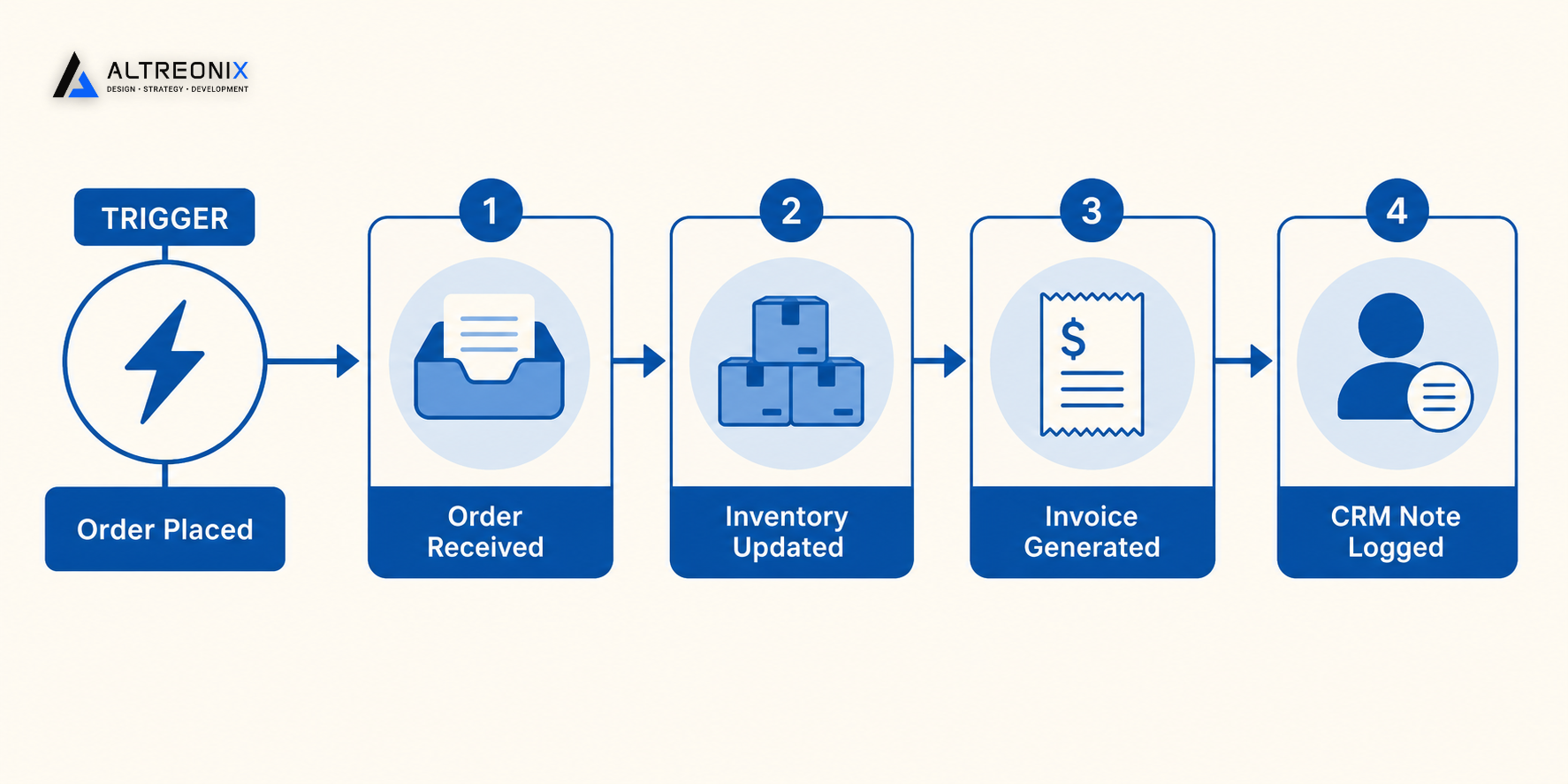
Order → Inventory Update → Invoice → CRM Note. When an order comes in, the workflow updates the inventory system automatically, generates the invoice, and logs a note against the customer’s CRM record, all from a single trigger instead of three separate manual entries. This is often the highest-leverage starting point, since it touches sales, operations, and finance at once, and it directly eliminates the exact three-person, three-tool scenario described above.
Expense Submission → Approval Routing → Accounting Entry. A submitted expense routes automatically to the right approver based on amount and category, exactly the kind of structured approval workflow we’ve covered elsewhere, and once approved, posts directly to your accounting system without anyone re-keying the numbers. The approval itself still involves a human decision, that part isn’t automated away, but everything before and after that single decision point removes a manual step.
Onboarding Form → Task Creation → Access Request. A completed onboarding form automatically generates the relevant tasks, laptop request, badge request, system access approval, tying directly into the kind of structured onboarding system that replaces tribal knowledge with a repeatable process. This is a particularly good early pilot candidate because the trigger, a completed form, and the resulting tasks are both well defined and don’t vary much between hires.
None of these require replacing your inventory tool, your accounting software, or your CRM. They require connecting the ones you already have so the same piece of data only gets entered once, which is usually a matter of days to configure rather than months to implement.
A Simple 30-Day Automation Pilot Plan
Trying to automate everything across every department at once is the most reliable way to stall an automation initiative before it delivers anything. A narrower, staged approach works better:
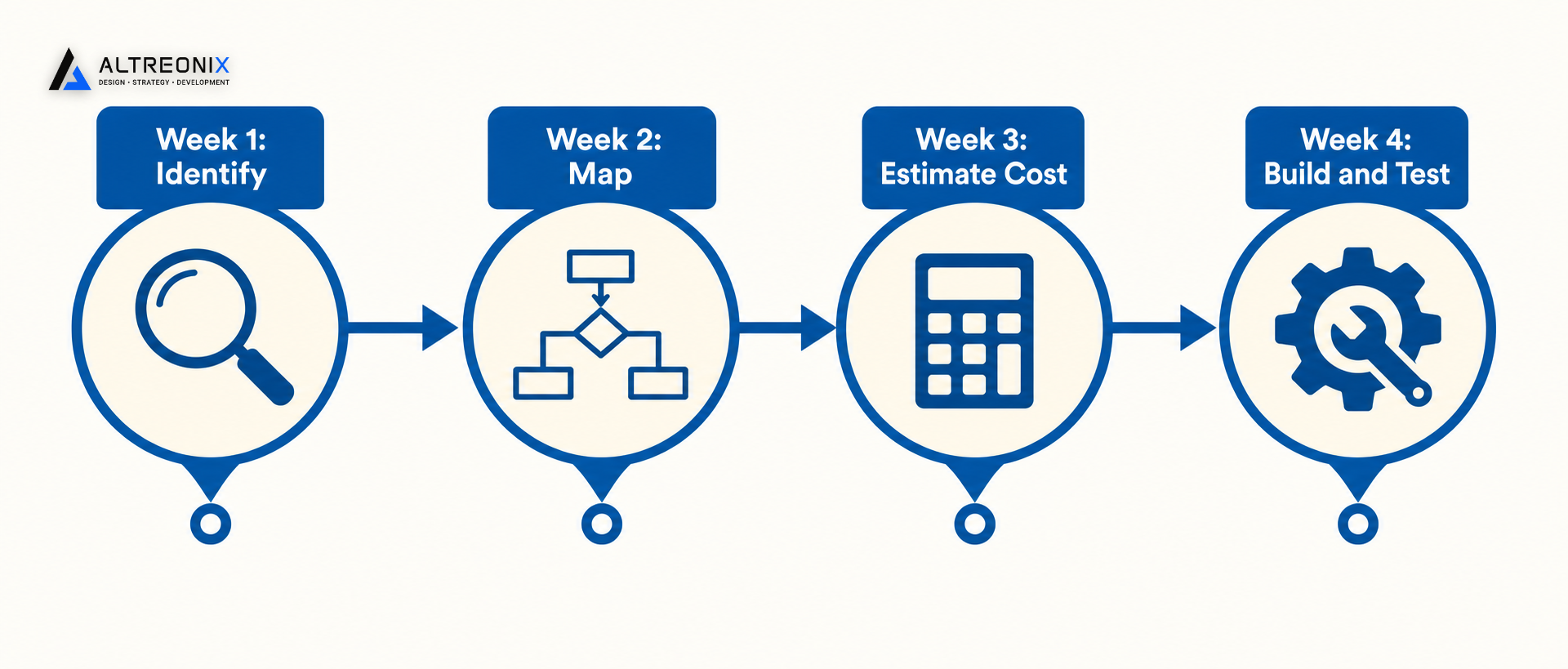
- Week 1: Identify the one process causing the most re-entry pain. Look for the workflow where the same piece of data gets typed into more than one tool, that’s almost always where the fastest win is hiding. Ask your team directly which task they’d most like to stop doing manually; they usually know before any formal audit confirms it.
- Week 2: Map the process exactly as it happens today, including every manual handoff and exception, not the idealized version. This is where you’ll find the version of the process that actually runs, versus the one everyone assumes is happening, which matters enormously once you start building the automation around it.
- Week 3: Estimate the cost of leaving it manual, using labor hours and error rate, so you have a real number to weigh against the automation effort. This doesn’t need to be precise, a rough weekly hours estimate multiplied by labor cost is usually enough to justify moving forward.
- Week 4: Build and test a small automation pilot covering just that one workflow, and run it alongside the manual process before fully relying on it. Give it a few real transaction cycles before removing the manual fallback entirely, since that’s when exceptions the mapping missed tend to surface.
Automation projects scoped this narrowly tend to see meaningfully faster payback than broader initiatives that try to automate multiple departments simultaneously, largely because a single, well-understood workflow is much easier to get right the first time.
Where Automation Stops and a Real System Upgrade Starts
Automation glue is powerful, but it has real limits, and it’s worth being honest about where they are. If the underlying tool you’re connecting to is itself the problem, a spreadsheet with no validation, an inbox with no structure, automation can move data faster between broken pieces, but it can’t fix what’s broken at the source. Approval bottlenecks that stem from unclear ownership rather than manual routing are a good example: automating the routing helps, but if nobody’s actually defined who the right approver is, the automation just moves the confusion faster.
Here’s a concrete version of that failure mode. A business automates its inventory update workflow, connecting the order form directly to the inventory sheet, so updates happen instantly instead of manually. But the underlying spreadsheet still has no validation, so a typo in the automated update still creates an impossible count, it just happens faster and with less human oversight to catch it before it causes a problem. The automation didn’t create that risk, but it didn’t remove it either, because the actual fix was upgrading the inventory system itself, not just speeding up how data reaches it.
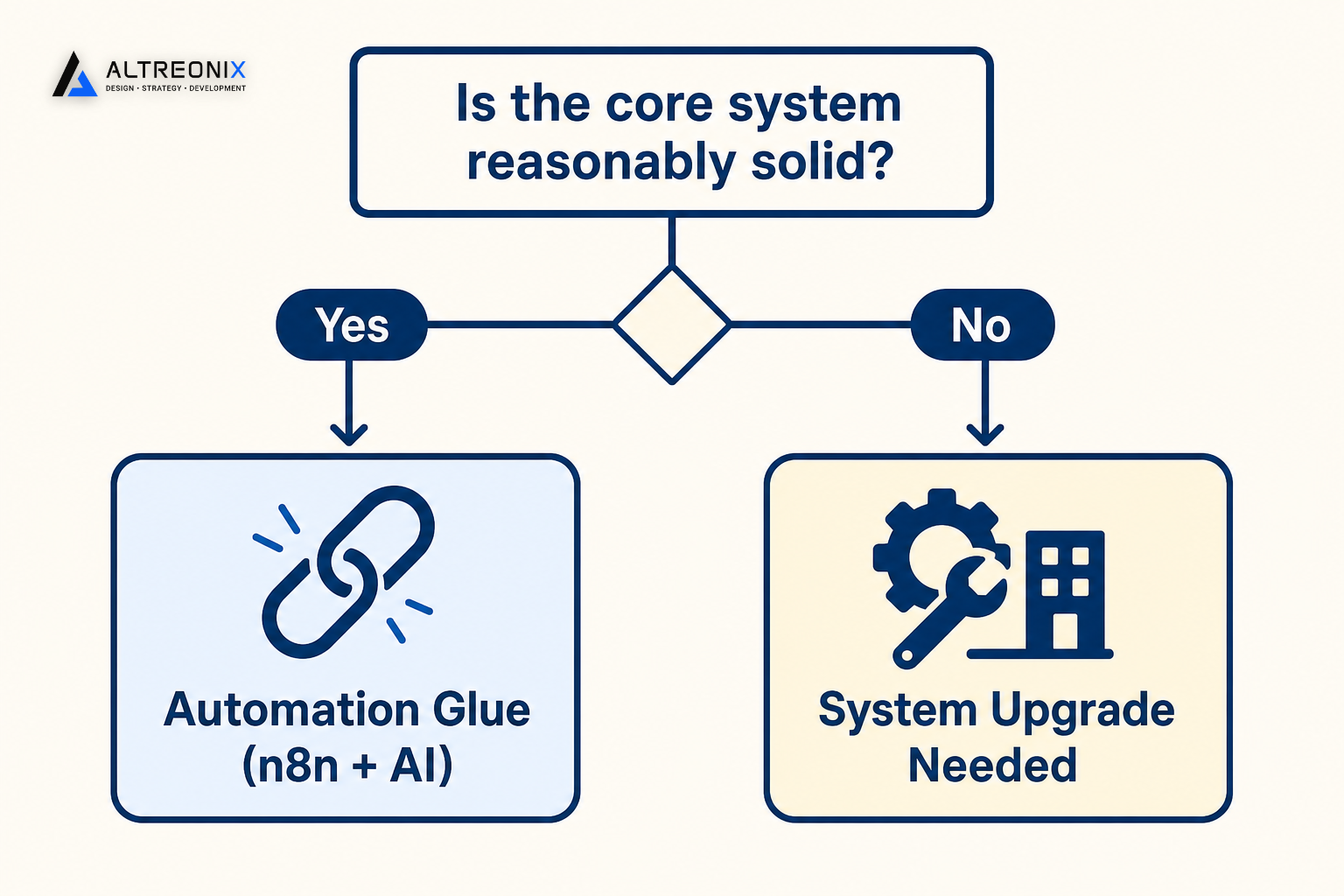
The general rule we work from: if your core systems are reasonably solid and the pain is mainly re-entry and coordination between them, automation glue is usually the right, cheaper first move. If a core system itself is fundamentally not fit for purpose, an inventory sheet that can’t handle your SKU volume, an approval process with no defined hierarchy at all, automating around it just delays the actual fix. That’s usually the point where a proper system upgrade, not another automation, is the right next step.
If the same piece of data is getting typed into more than one of your tools every day, that’s usually the fastest automation win available to you. We offer an Automation Pilot Design Session, where we help you pick one workflow and design a lightweight automation using n8n and AI that fits how your team actually works. Book a session here and bring whichever process is causing the most repeated data entry right now.