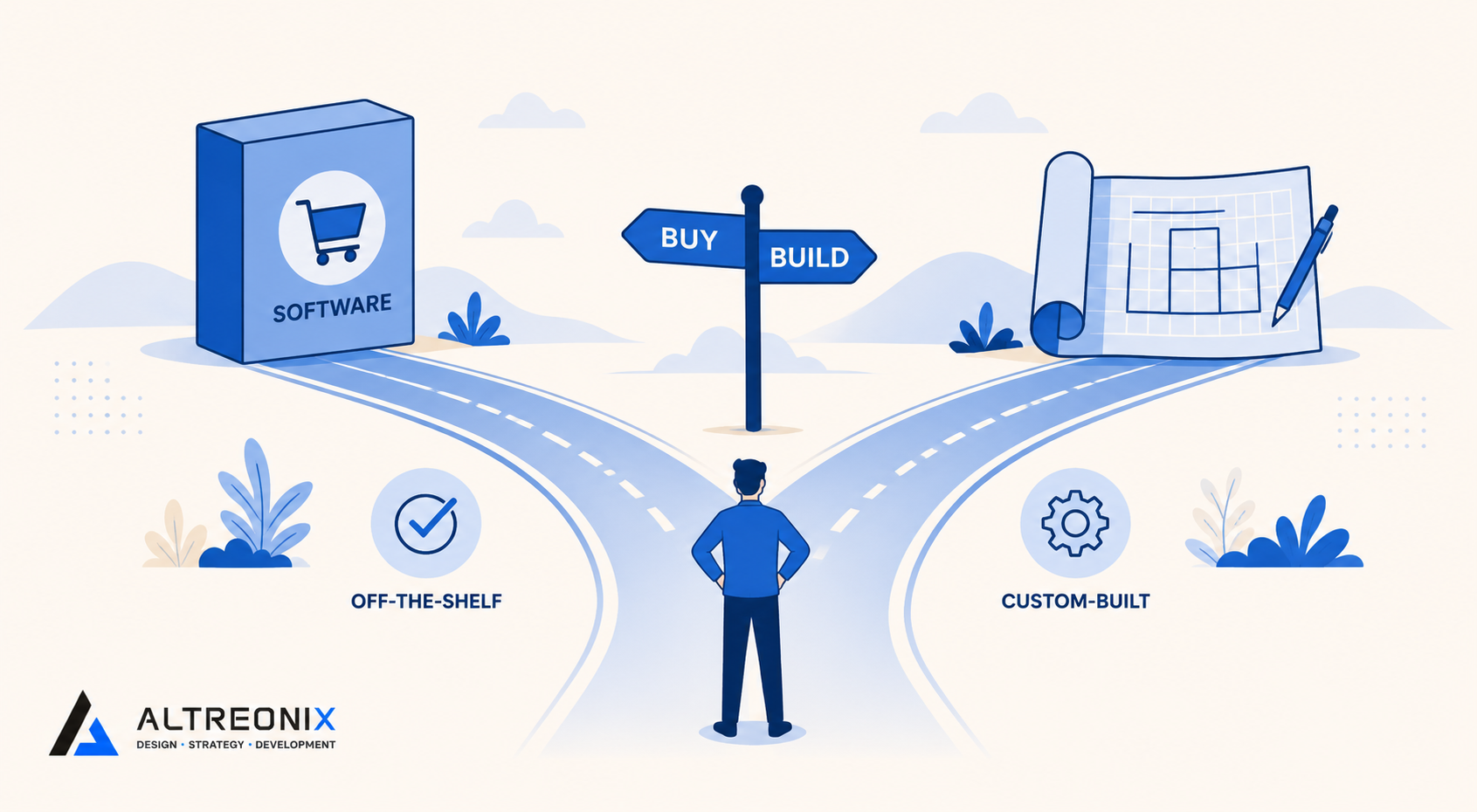
“Just pick a tool” is reasonable advice for a lot of software decisions. It falls apart the moment the workflow in question is genuinely complex, inventory with multi-location logic, approvals with regulatory requirements, onboarding tied to compliance training. At that point, the question stops being which app to buy and becomes something closer to an architecture decision: build something specific to how you actually work, or adapt your process to fit a tool that was built for a general case.
This decision gets made poorly more often than it should, in both directions. Some businesses default to custom software for everything, assuming their process is more unique than it actually is, and end up paying for a build that a $50-a-month tool would have handled. Others force a genuinely irregular workflow into an off-the-shelf platform because custom software sounds expensive and risky, and spend years quietly working around a tool that was never built for how they actually operate. Both mistakes come from skipping the same step: honestly assessing how standard the workflow actually is before picking a path.
Across the inventory, approvals, and automation posts in this series, we’ve mentioned this decision repeatedly without going deep on it. This is that deeper look, a structured way to decide, rather than a default answer that applies to every business the same way.
When Buying Off-the-Shelf Makes Sense
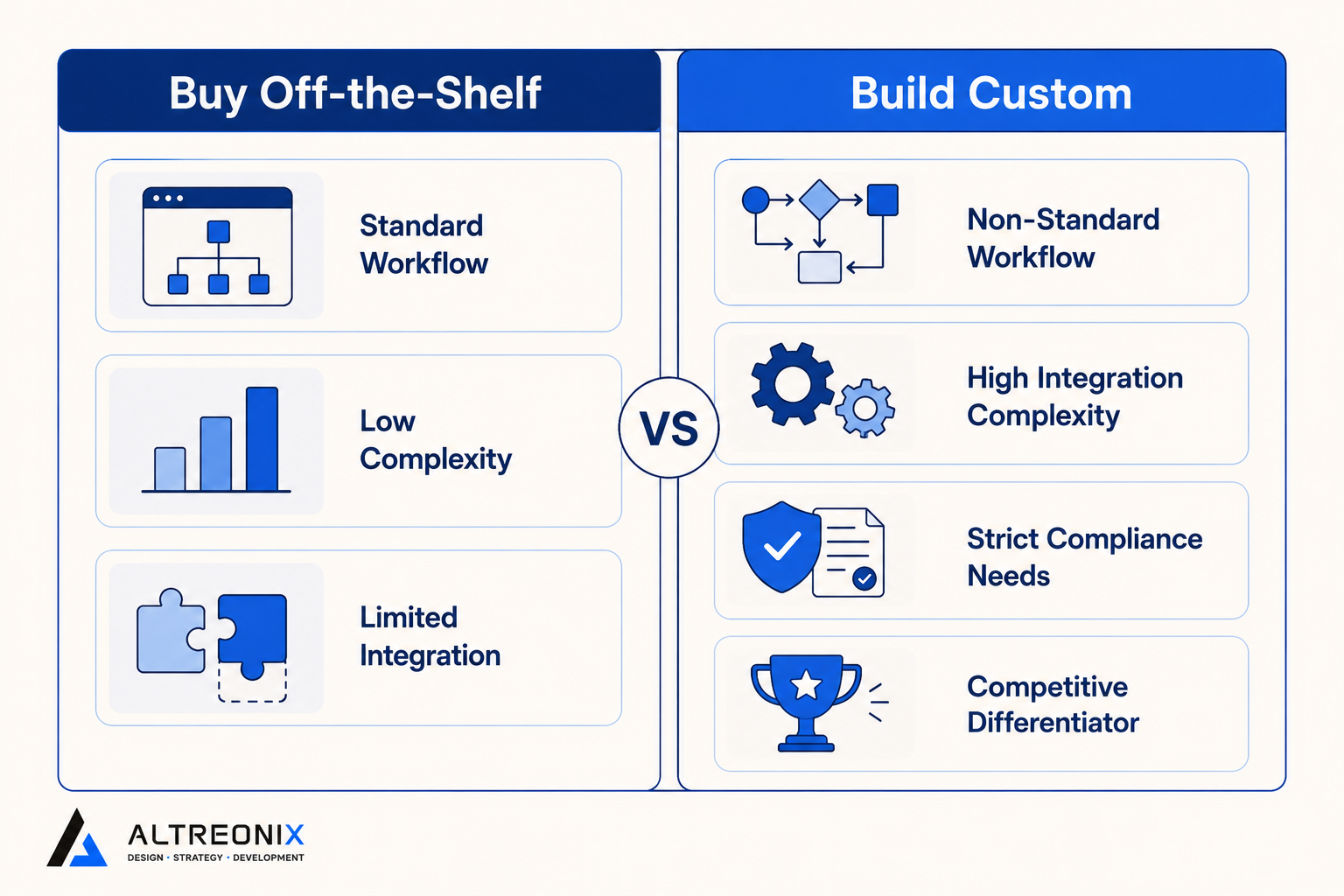
Off-the-shelf is the right default far more often than most operations leads assume, and it’s worth being honest about that before making the case for custom builds. Buy when:
- Your workflow is standard. If your process matches how most businesses in your category operate, someone has almost certainly already built software for it, tested against far more edge cases than a first internal build would cover.
- Complexity is low. Few exceptions, a straightforward approval chain, a manageable SKU count without unusual variants. Low complexity is exactly where a generic tool’s assumptions and your actual process line up well.
- Integration needs are limited. You’re not trying to connect five different systems with conflicting data models, which is where off-the-shelf tools tend to hit real friction fast.
Types of information systems built for general operational use are specifically designed to cover the common version of a workflow well. When your process actually matches that common version, paying to reinvent it is money spent solving a problem that’s already been solved.
When a Custom Build Is Actually Worth It
Custom systems earn their cost under a narrower, more specific set of conditions. Build when:
- Your workflow is genuinely non-standard. Not “we do it a little differently,” but core process logic that doesn’t map onto how off-the-shelf tools expect the workflow to run, the kind of difference that shows up as a constant stream of workarounds rather than an occasional exception.
- Integration complexity is high. You need several existing systems, inventory, finance, CRM, talking to each other in ways a generic platform can’t support without heavy custom work anyway, at which point you’re paying for custom development regardless of which tool you started from.
- Compliance or audit requirements are strict. Regulated industries often need a permanent, structured record that goes beyond what a general tool logs by default, and retrofitting that level of audit trail onto a generic tool after the fact is rarely clean.
- The process is a genuine competitive differentiator. If how you run a specific operation is part of what makes your business better than competitors, bending that process to fit generic software gives away the advantage, since everyone using the same off-the-shelf tool ends up running a version of the same process.
Mis-fit systems, ones forced onto a workflow they weren’t designed for, tend to be costly in ways that only show up later, through workarounds that pile up, data that doesn’t map cleanly, and a team that quietly builds a parallel manual process to compensate for what the tool can’t do. That hidden cost is usually where custom builds actually pay for themselves, not in the sticker price comparison.
The Hybrid Path Most Businesses Actually Take
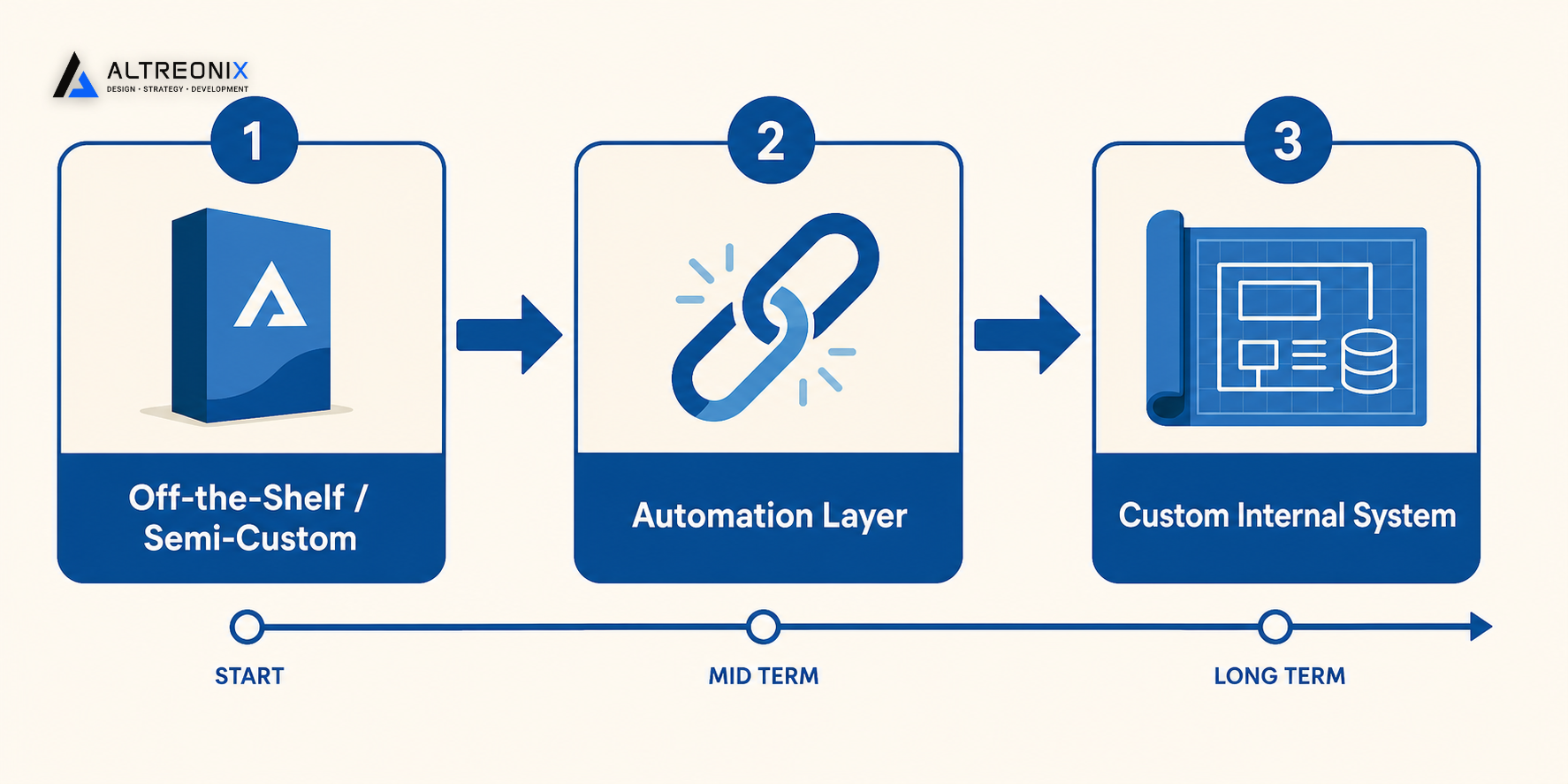
In practice, very few businesses make one clean build-or-buy decision and stop there. Most move through a phased evolution:
- Start with an off-the-shelf or semi-custom configuration for the workflow, since it’s the fastest way to get something running and start learning what the process actually needs, rather than guessing at requirements before anyone has used the system in production.
- Layer in automation to connect that tool with the rest of your systems, capturing a meaningful share of the efficiency gain without a full custom build, exactly the kind of glue work we’ve described in this series’ automation post.
- Move to a custom internal system only once the specific gaps, the exceptions the generic tool can’t handle, the integrations it can’t support, are clearly understood through actually running the process for a while, which makes the custom build far more accurately scoped than one designed from assumptions alone.
This phased approach consistently outperforms jumping straight to custom, because it lets the actual requirements reveal themselves through use rather than being guessed upfront in a planning document. Systems consideration frameworks for growing companies consistently favor this kind of staged evolution over a single large commitment made before anyone has really lived with the workflow.
Cost and Risk Considerations Before You Decide
Three factors matter more than the upfront price tag when weighing build versus buy, and they’re the ones that actually determine whether a project feels smooth or painful six months in:
| Factor | Off-the-Shelf | Custom Build |
|---|---|---|
| Implementation time | Usually weeks | Usually months, depending on scope |
| Data migration | Often templated, sometimes still messy | Fully controlled, but requires careful planning |
| Adoption challenges | Team may need to adapt to the tool’s assumptions | System can be designed around how the team already works |
Staged, parallel-run migrations reliably outperform hard cutovers regardless of which path you choose, because the risk isn’t really about build versus buy, it’s about how carefully the transition itself is managed. A rushed off-the-shelf rollout can fail just as badly as a rushed custom build, and a well-managed custom rollout can go more smoothly than a poorly planned software purchase. The path you choose matters less than how disciplined you are about running the new system in parallel before fully committing to it.
Two Scenarios: Same Problem, Different Right Answer
The right choice depends entirely on the specifics of your business, not the category of problem. Two examples make this concrete.
Inventory: simple wholesaler vs. multi-plant manufacturer. A wholesaler distributing a manageable catalog of standard products from one warehouse is well served by an off-the-shelf inventory tool. Their workflow, receive stock, pick, pack, ship, matches what most inventory software is built to handle, and there’s little to gain from a custom build. A manufacturer running multiple plants, each with different production schedules, bill-of-materials complexity, and inter-plant transfers, is a much stronger candidate for a custom system, because the workflow genuinely doesn’t map onto what a generic tool assumes about how inventory moves. Forcing that complexity into a standard tool usually means building a parallel spreadsheet to track the parts the software can’t, which defeats the purpose of buying it in the first place.
Approvals: small agency vs. regulated firm. A small agency approving vendor invoices and expense reports has a straightforward hierarchy that an off-the-shelf approval workflow tool handles well, since the routing logic is simple and the stakes per decision are moderate. A regulated firm needing a permanent, audit-ready record of every approval, with specific compliance requirements around who can approve what and how that decision gets documented, is a stronger case for a custom or heavily configured system, because the audit and compliance requirements go beyond what a general tool logs by default, and the cost of getting that wrong is much higher than a delayed payment.
Same underlying problem category in both cases, inventory and approvals, but a different right answer depending on the actual complexity and constraints involved. That’s the core argument of this whole post: the category of problem tells you almost nothing about which path is right. The specifics do.
How We Approach Build vs Buy Decisions
Our starting position is never “build custom by default.” It’s the opposite: we’d rather tell a business an off-the-shelf tool is genuinely enough than talk them into a custom build they don’t need. The broader business systems roadmap we’ve laid out across this series, covering inventory, approvals, onboarding, and automation, exists precisely so this decision gets made workflow by workflow, grounded in the actual cost of staying manual, which we break down in our post on the real cost of manual operations, rather than as one sweeping “we need custom software” decision made before anyone has run the numbers.
If you’re weighing this decision for a specific workflow right now, whether it’s inventory, approvals, onboarding, or something else entirely, we offer a Build vs Buy Assessment, where we evaluate your actual process and recommend the right fit, off-the-shelf, semi-custom, or fully custom, along with the reasoning behind it. Get in touch here and bring the workflow you’re currently unsure about.